
Note
Go to the end to download the full example code.
Runtime SIMD detection#
This example reports the SIMD level selected by onnx-light-cpu. The Python
extension exposes only status helpers here; optimized ONNX operators are used
through onnx-light registration in integration builds.
Setup#
Import the SIMD status helpers. The mapping is 0=None, 1=SSE2,
2=AVX, 3=AVX2 and 4=AVX512.
import numpy as np

from onnx_light_cpu import SimdLevel, detect_simd_level, has_cpu_kernels

_SIMD_NAMES = {
    SimdLevel.NONE: "scalar",
    SimdLevel.SSE2: "SSE2",
    SimdLevel.AVX: "AVX",
    SimdLevel.AVX2: "AVX2",
    SimdLevel.AVX512: "AVX-512",
}

assert has_cpu_kernels()
level = detect_simd_level()
simd_name = _SIMD_NAMES.get(level, level)
print(f"CPU kernels available, SIMD level: {level} ({simd_name})")
CPU kernels available, SIMD level: 4 (AVX-512)
Illustrate Abs with NumPy#
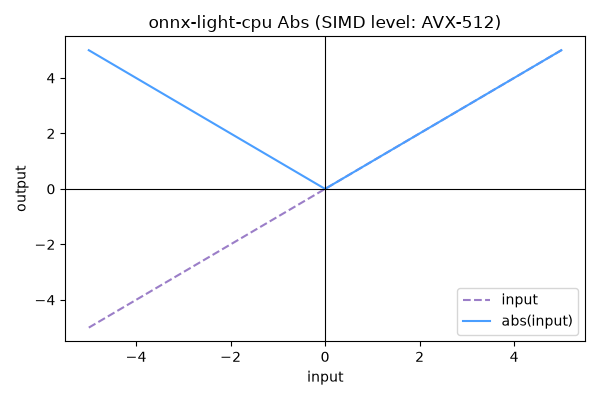
The numpy curve below is only an illustration of the Abs operation. It
does not call any removed Python kernel binding.
import matplotlib.pyplot as plt

x = np.linspace(-5.0, 5.0, 201, dtype=np.float32)
y = np.abs(x)

fig, (ax_level, ax_abs) = plt.subplots(1, 2, figsize=(10, 4))

ax_level.bar([simd_name], [level], color="#4a9eff")
ax_level.set_ylim(0, 4)
ax_level.set_ylabel("SIMD level")
ax_level.set_title("Detected onnx-light-cpu SIMD")
ax_level.text(0, level + 0.1, str(level), ha="center", va="bottom")

ax_abs.plot(x, x, label="input", linestyle="--", color="#9b7ec8")
ax_abs.plot(x, y, label="numpy.abs(input)", color="#4a9eff")
ax_abs.axhline(0.0, color="black", linewidth=0.8)
ax_abs.axvline(0.0, color="black", linewidth=0.8)
ax_abs.set_title("Abs operation illustration")
ax_abs.set_xlabel("input")
ax_abs.set_ylabel("output")
ax_abs.legend()

fig.tight_layout()
fig.savefig("plot_abs_simd.png")
plt.show()
Total running time of the script: (0 minutes 0.151 seconds)